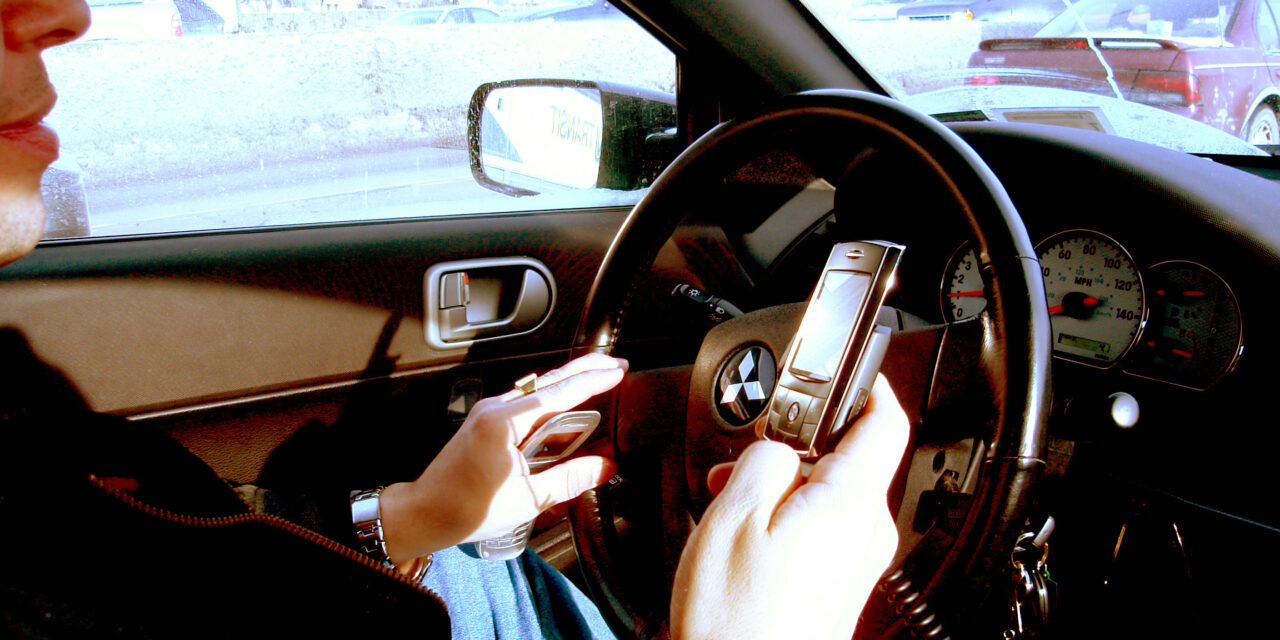
If you use your phone for directions, the answer is not simply "put it on the windscreen". UK law does not set out one approved corner for every phone holder. Instead, the test is whether the device leaves you with a full view of the road and traffic ahead, and whether you remain in proper control of the car.
That makes the best position one that is secure, easy to glance at and well away from the part of the windscreen you naturally look through. It also means a mount can be physically fitted but still be a bad idea.
The short answer
A phone can be used for navigation in a holder, on a dashboard mat or through a built-in system, provided you do not hold it while using it. The device must not block your view of the road and traffic ahead, and you must stay in full control at all times. That is the position set out in the government’s mobile-phone driving guidance.
So there is no universal rule that says a phone holder must be on the windscreen, dashboard, air vent or a particular side of the cabin. The legal question is what it does to your view and control in your car.
A sensible place to mount it
For most drivers, the least distracting practical choice is a low dashboard position close enough to the driver to see directions with a brief glance, but not in front of the instrument panel, centre screen controls or windscreen. A firmly mounted device near the centre of the dash can work well if it does not make you look away from the road for long.
A windscreen mount can also be lawful, but it needs more care. Do not assume that putting it in a lower corner automatically makes it legal. Sit in the driver’s seat, set your normal driving position and check that the phone does not interfere with your forward view at junctions, bends or crossings. It must not hide road users, traffic lights, signs or your view through the swept area of the screen.
Before setting off, also make sure the holder does not obscure the speedometer or warning lights, restrict an airbag cover, block a useful vent or work loose over rough roads. A mount that drops while driving creates exactly the distraction it was meant to avoid.
What the law actually requires
The legal baseline is Regulation 104 of the Road Vehicles (Construction and Use) Regulations 1986. It says a person must not drive if they are positioned so that they cannot have proper control of the vehicle or a full view of the road and traffic ahead. You can read the wording of Regulation 104 directly.
The government’s guidance is more specific about phones and sat-navs. It lists a dashboard holder, dashboard mat, windscreen mount and built-in sat-nav as examples of hands-free access. But it immediately adds two conditions: do not hold the device at any time while using it, and do not let it block your view of the road and traffic ahead.
There is a meaningful difference between those rules:
- Holding and using a phone, sat-nav, tablet or another data-capable device while driving can mean 6 penalty points and a £200 fine.
- Failing to have a full view of the road and traffic ahead, or failing to have proper control, can mean 3 penalty points.
- A hands-free setup is not a defence if it distracts you. Police can still stop a driver they believe is not in control.
For a driver within two years of passing their test, 6 points would normally mean their licence is revoked under the New Drivers Act. That is a painfully high price for a route update.
Can you touch a phone in a holder?
Treat the phone as something to set before you move, not something to operate in traffic. The safest approach is to enter the destination, choose the route, start navigation and put the device in its holder while parked. Use voice control only if it genuinely lets you keep your attention on the road.
The government guidance says you must not hold the device at any time during use. Even when it is mounted, fiddling with the screen while moving can leave you open to action for not being in proper control. Pull over somewhere safe and legal if you need to change a destination, deal with a call or troubleshoot the app. A red light, a queue of traffic and stop-start traffic are not the same as being safely parked.
Do not let the holder turn into an eyesight problem
A device can be hands-free but still obstructive. This is especially easy to miss in cars with a steeply raked screen, a thick A-pillar or a small front windscreen. Before every longer trip, use this quick check:
- Sit as you would normally drive, with the seat and steering wheel adjusted.
- Look straight ahead, then towards both front corners and the mirrors.
- Check whether the phone or its cable masks a traffic light, pedestrian, cyclist, motorcyclist or road sign.
- Turn the steering wheel and confirm the holder does not contact it or tempt you to reach across it.
- Brake gently and take a short drive on a familiar road to make sure the mount stays put.
If you need to move your head to see around the phone, it is in the wrong place. Move it lower, move it to the dash or use the car’s own navigation display instead.
Does a phone holder cause an MOT failure?
A removable phone holder is not automatically an MOT failure. The issue is whether anything fitted to the vehicle obstructs the driver’s view of the road. Do not rely on an MOT pass as proof that a particular position is safe or lawful: the driver remains responsible for having a clear view on the road.
The same caution applies to the cable. Route a charging lead so it does not trail around the gear lever, pedals or steering wheel, and do not wedge it where it could interfere with controls.
Sat-navs, CarPlay and built-in screens
The rule is about control and visibility, not the brand of device. A built-in sat-nav, Apple CarPlay or Android Auto screen can reduce the need to handle a phone, but it can still distract if you scroll through menus or type while moving.
Use a simple display, turn on voice guidance and set up playlists, calls and routes before leaving. The Highway Code says drivers should keep both hands on the wheel where possible to help maintain full control. That is a useful standard even where a particular action is not expressly forbidden.
The practical rule to remember
Put the phone where a quick glance is possible without compromising your view, then leave it alone until you are safely parked. If its position hides any part of the road ahead, draws your hand off the wheel or makes you keep adjusting it, it is not a safe or sensible setup.
A good holder is one you barely notice while driving. The route should help you get there, not become another hazard in the car.