If a hire company, employer, dealership or fleet manager asks to see your driving record, they will often want a DVLA licence check code rather than a photocopy of your licence.
The good news is that getting one is quick. For most drivers with a licence issued in England, Wales or Scotland, the code can be generated online through GOV.UK in a few minutes. The catch is that the code is short-lived and single-use, so timing matters.
The short answer
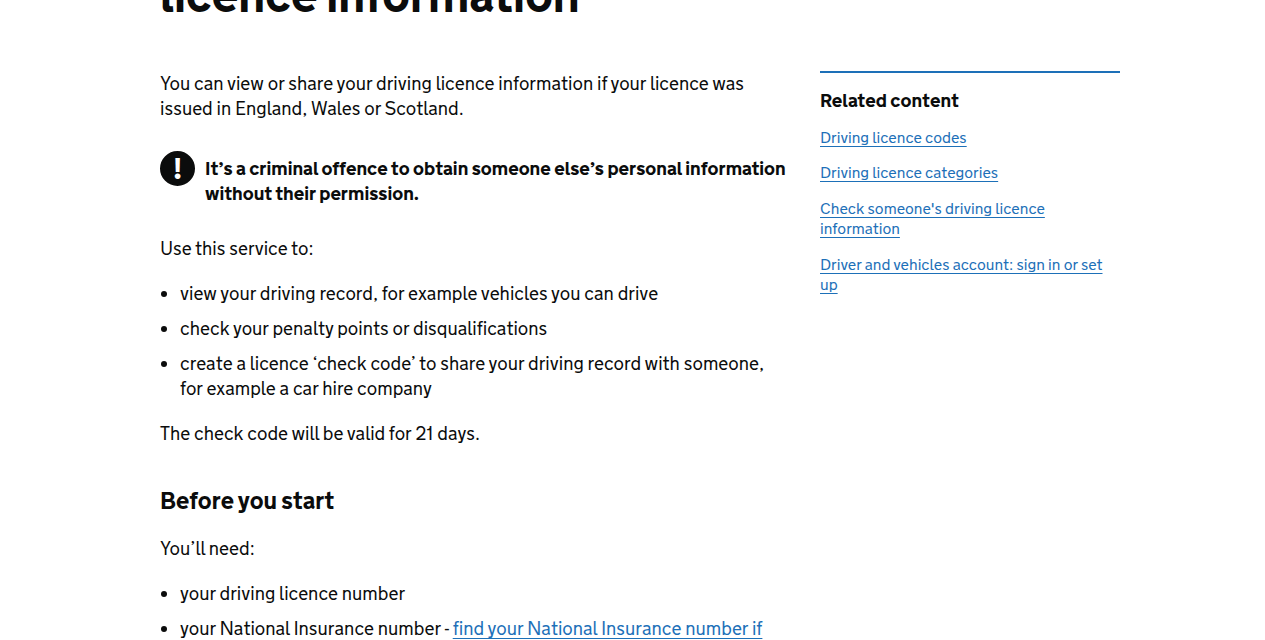
To get a DVLA licence check code, go to the official GOV.UK service for viewing or sharing your driving licence information. You will need:
- your driving licence number
- your National Insurance number
- the postcode shown on your driving licence
Once you sign in, you can create a check code to share your driving record. According to GOV.UK, the code is valid for 21 days.
Whoever checks your record will also need the last 8 characters of your driving licence number. GOV.UK says that check code can only be used once, so if the first code expires or has already been used, you need to generate a fresh one.
What a DVLA check code is actually for
A DVLA check code lets another person or business view your driving licence information through the official government service.
That can include:
- the vehicle categories you are allowed to drive
- penalty points
- disqualifications
- basic licence status information relevant to the check
In practice, drivers usually need one when:
- hiring a car or van
- starting a job that involves driving
- joining a company car or van policy
- proving entitlement to drive a certain vehicle category
- dealing with a dealer, broker or fleet operator that wants an up-to-date licence check
It is designed to give the other side a current official record, not an old photo of your card licence that may not show recent points or changes.
How to get a DVLA licence check code step by step
For most drivers, the online route is the easiest one.
1. Use the official GOV.UK service
Start at the GOV.UK page called View or share your driving licence information.
That is the service for drivers who want to view their own record and generate a code to share it.
2. Have the three details ready
Before you start, GOV.UK says you will need:
- your driving licence number
- your National Insurance number
- the postcode on your driving licence
If one of those details does not match what DVLA holds, the sign-in can fail, so it is worth checking the postcode carefully, especially if you have moved house or recently updated your address.
3. Sign in and generate the code
Once you are through the login steps, you can choose to create a licence check code. This is the code you pass to the employer, hire company or anyone else who has a legitimate reason to check your record.
4. Share the code with the person doing the check
To run the check, they also need the last 8 characters of your driving licence number. GOV.UK’s checking service asks for both pieces of information.
5. Do not leave it too early
This is the part many drivers miss. The code does not last indefinitely.
GOV.UK says the code is valid for 21 days, and the checking service says it can only be used once. That means a code created too early can become useless by the time a hire desk or employer tries to use it.
When should you generate the code?
Usually, the best time is shortly before it is needed.
If you are collecting a rental car tomorrow, doing the code today makes sense. If a new employer asks for a licence check as part of onboarding, create it close to the moment they are going to process it.
Generating one weeks in advance is where drivers get caught out. Even if it is still inside the 21-day window, a previously used code will not work for a second check.
What if your code does not work?
In most cases, the fix is simple: generate a new one.
A DVLA check code commonly fails because:
- it has passed the 21-day validity window
- it has already been used once
- the last 8 characters of the licence number were entered incorrectly
- the driver gave details from a different licence or old paperwork
If you are the driver, it is usually faster to go back into the GOV.UK service and create a fresh code than to spend time trying to revive the old one.
Can you get a DVLA check code without going online?
Yes.
GOV.UK says you can also get a licence check code through your driver and vehicles account or over the phone via the DVLA contact centre on 0300 083 0013.
That matters if you are helping someone who is less comfortable online or if the website route is awkward at the time. For most people, though, the standard online service remains the quickest option.
Is this the same thing as sharing your full DVLA login?
No, and it should not be.
The whole point of the check code system is that you can let someone verify the relevant licence information without handing over your own login access.
That is the safer route. A hire company or employer should need the code and the last 8 characters of your licence number, not your personal sign-in details.
What if your licence was issued in Northern Ireland?
This is an important exception.
The GOV.UK service says the online view and share service applies to licences issued in England, Wales or Scotland. It signposts Northern Ireland drivers to a separate service.
So if your licence was issued in Northern Ireland, do not assume the standard DVLA route will work in the same way. Use the Northern Ireland driving licence route instead.
Why this matters more than drivers think
A lot of people only discover the check-code system at the exact moment they need it, often while standing at a rental counter or completing job paperwork.
That is why this is worth knowing in advance:
- a paper or photocard licence on its own may not be enough
- a code created too early can expire
- a code that has already been used will need replacing
- the person checking your record needs the last 8 characters of your licence number as well
Knowing those points saves a surprising amount of last-minute stress.
A simple checklist before you share one
Before you send a DVLA licence check code to anyone, make sure you have:
- used the official GOV.UK service
- checked that the request is legitimate
- kept your own login details private
- generated the code close to when it will actually be used
- sent the last 8 characters of your driving licence number as required for the check
Final word
A DVLA licence check code is straightforward once you know the system. The main things to remember are that it is generated through GOV.UK, it is meant for sharing your driving record with a third party, and it is not a long-term document you can keep reusing.
If you need one for a hire car, a new job or an employer check, generate it close to the time of use and be ready to create another if the first one has expired or already been used.